
Native macOS · Dokploy
Every service. Every project. Every server. One fast window.
A native macOS client for Dokploy — see your whole fleet at a glance, deploy and roll back in a click, and tail live build logs, with an ambient menu-bar layer the web dashboard can’t give you.
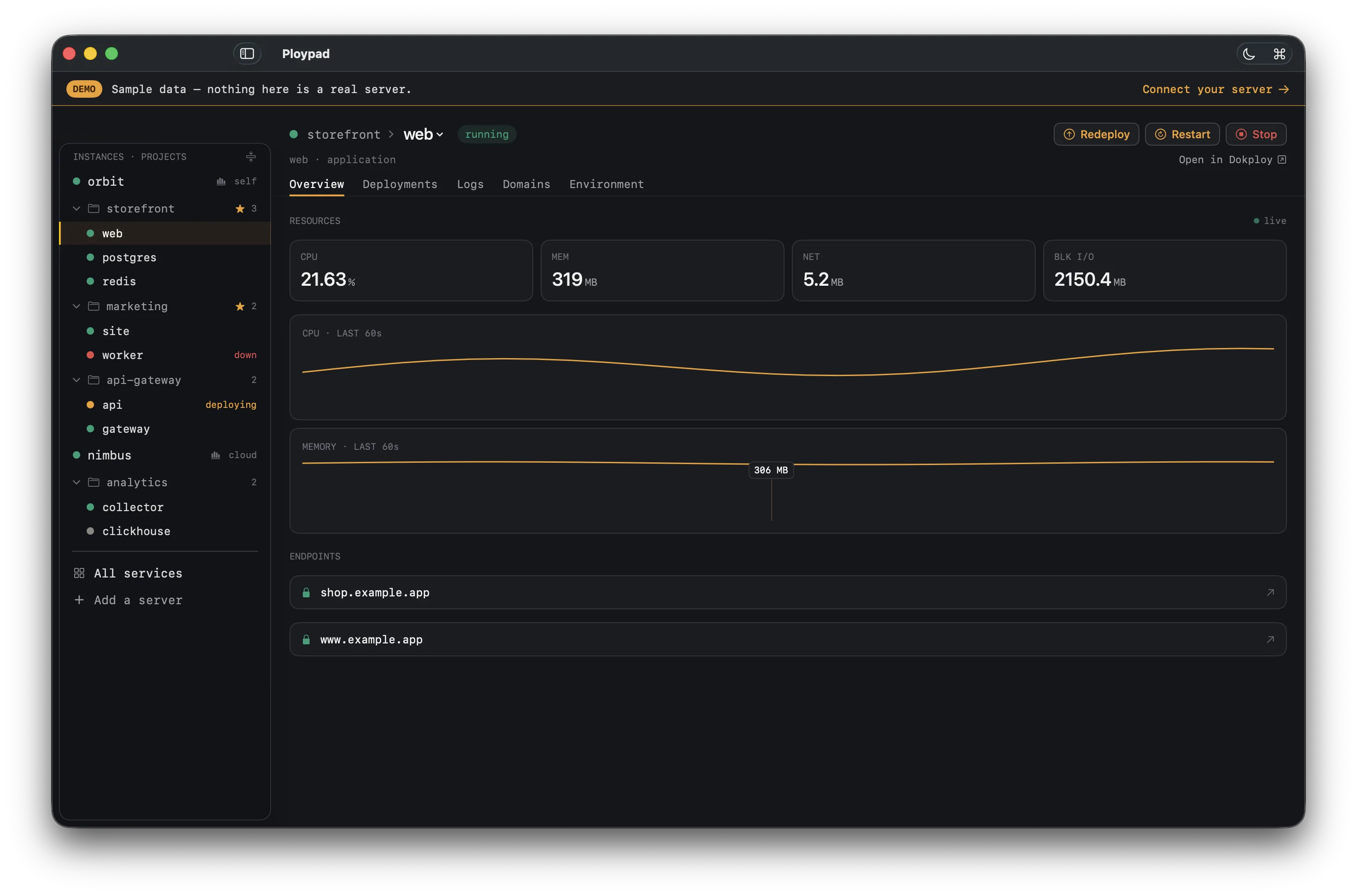

A real window into your fleet
This is the whole app.
Not a landing-page promise — every screen below is the actual interface. Observe, deploy, and switch fast, all from one native window.
Aggregation
Every service, in one list.
The all-services view lists every service across every project and instance — sorted so anything down floats to the top. Filter the whole fleet in a single field. This is the Pro superpower a per-project dashboard can’t match.


Live logs
Watch deploys as they build.
Stream build output line-by-line with levels colored — info, warnings, errors. Scroll up to read and the tail pauses; scroll back down and it resumes. Search across the whole log without leaving the app.


History
Every deploy, one rollback away.
The full deployment history for each service — status, timestamps, and the change behind each build. Roll back to any previous image in a click when a deploy goes sideways.


The whole box
Host metrics, not just the service.
CPU, memory, disk, and network for each server — live — right alongside the services running on it. See the machine and the apps on it together, in one place.


⌘K command palette
Drive it from the keyboard.
Jump to any service or run an action — redeploy, restart, stop — in a few keystrokes. Fuzzy-matched across your whole fleet; locked services prompt an upgrade instead of acting.


Alerts
Alerts that find you.
Get notified the moment a service goes down, a deploy fails, or a metric crosses a threshold — scoped to a service, a project, a server, or your whole fleet. Native notifications, delivered even when the window’s closed.


And the rest of the daily 80%
Built to live in.
Pin what matters
Star your important projects to the top of the sidebar, collapse the rest, and expand or collapse everything in one click. A big fleet, kept tidy.
Switch services fast
A breadcrumb in every service header jumps to any sibling in the project — hop between services without reaching for the sidebar.
Ambient menu bar
A worst-status icon in your menu bar; the dropdown puts what needs attention first — even when the window is closed.
Self-hosted and Cloud
Self-hosted servers and Dokploy Cloud orgs — both, side by side, same fast view.
Native and fast
SwiftUI with off-main-thread polling and optimistic updates — it just feels instant.
Keys stay in your Keychain
The app talks directly to your own server. Your API keys never pass through us.
Pricing
Free to try. One-time purchase to unlock your whole fleet.
No subscription, ever. One purchase covers all your Macs.
Download on theMac App StoreQuestions
Good to know.
Does it work with self-hosted Dokploy and Dokploy Cloud?
Both. Connect a self-hosted server or a Dokploy Cloud org — Ploypad uses the same API and shows them side by side.
What macOS version do I need?
macOS 14 Sonoma or later.
Is it a subscription?
No — a one-time purchase, no recurring fees, and it covers all of your Macs.
Is there a free version?
Yes. The free tier is a complete single-project tool. Pro unlocks the cross-cutting fleet views — all services, the command palette across everything, and more.
Where are my API keys stored?
Only in your Mac’s Keychain. The app talks directly to your own Dokploy server — your keys never pass through us.
Do you support Coolify?
Coolify support is on the roadmap as a second backend behind the same fast interface.